Facebook to launch e-mail service


Facebook is set to announce a new e-mail feature on Monday that could challenge Gmail, Yahoo mail and Hotmail as the most popular online e-mail services, according to news reports on Friday.
The service by the popular social networking company will for the first time allow the site’s 500 million members to use “@facebook.com” addresses and will also be integrated with Microsoft’s recently introduced Office online services.
The tech news blog TechCrunch, which first reported the development, said the Facebook service would be a full-featured e-mail client.
“Facebook is completely rewriting their messaging product and is preparing to launch a fully featured webmail product in its place, according to a source with knowledge of the product,” TechCrunch wrote.

The development comes amid growing rivalry between Facebook and Google, which this week raised salaries across the board to pre-empt defections to the social network site. Google also recently cut off Facebook’s access to its own e-mail product to prevent Facebook from importing Gmail address books until Facebook allows Google to access data on its site.

Google Multiple Sign-in

Has it ever happened to you that you need to see multiple accounts at the same time? Usually we open different accounts in different browser or otherwise, to use in the same browser, we first have to sign off and then sign in with new Google Account. This can be very irritating at times, at least for those who are quite unfamiliar with many browsers and use Internet explorer all the time.
Now, you no longer have to perform such actions for opening multiple Google accounts. Google has finally come up with much awaited multiple accounts sign in feature. This can be implemented by going to the Google Accounts page and then enabling multiple sign in option. Once you click on the change, Google notifies that it is an advanced feature and will work on various Google products like calendar, code, Gmail, Reader and Google sites.
When you enable this feature, the most significant change is that you'll see a new drop-down next to your email address in Gmail and other supported Google products. Click on the drop-down and you can sign in to a new Google Account without signing out from the previous account.

Another change is that Google's URLs include a different number for each account:http://mail.google.com/mail/u/0/, http://mail.google.com/mail/u/1/, etc.

After you enable the multiple sign in option, you will see a drop down list with the list of Google Accounts that you must have entered. You can select any one of those and proceed with your work. The account that you will be using for the first time will automatically made as default account.
If you visit Google product that do not support multiple Google accounts, you will automatically be redirected to default account for that particular product. Moreover, if you sign out of any of the Google products while signed in to any account, you will be signed out of all your Google Accounts at once.


HOW TO: Use Facebook’s @Mentions Status Tagging

As we are very familiar with the photo and the video tagging in the same way we use status tagging to tag our friends.It’s very similar functionality to @replies on Twitter, and most folks will be pretty familiar with how it works and why you’d want to use it. Still, there are some differences to note, and some may appreciate a basic walkthough of how the new feature works.
Facebook’s version of the feature, like Twitter, also uses the @ symbol to invoke. However instead of having to simply know or remember the person’s username you’d like to tag, Facebook will generate an auto-suggest dropdown based on what you’ve typed after the @ symbol:

This is a nice touch considering that the scope of Facebook’s status tagging feature goes beyond just being able to tag your friends. You can also tag pretty much anything you’re connected to in the Facebook universe: companies, brands, artists and shows — anything that has a Facebook Page. You can also tag events and groups you’re a part of.
Once the item you’re wanting to tag appears in the list, all you have to do is click on it to select it and include a linked version of that entity in your status update:

Unlike Twitter, the @ symbol won’t actually remain as a part of your update; it’s merely the syntax that invokes the tagging feature itself. Instead, the full name of the person, page, event or group you tagged is now contained in your status update, contextually linked to its actual page. When your friends see your status update, they’ll be able to click on any of those links to find out more and possibly friend, fan, join or attend whatever you linked to:

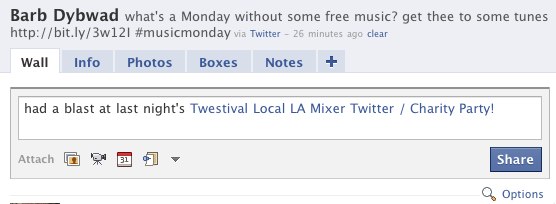
Here’s an example of using a status update to tag an event:
And here’s the result after I’ve selected the correct event I want to tag in the update:
One complaint we have about the new feature is that it only works in your status updates, or if you post to someone else’s wall using the Share widget on their page. That means you can’t tag anyone inside of comments, which to us — and probably most other folks who are used to Twitter’s implementation of this feature — seems like a “missing” feature. It doesn’t really matter where the conversation is happening, and I may have occasion to want to tag something inside a discussion thread just as frequently as I might in a status update.
Otherwise, as you can see, the new status tagging feature is fairly easy to use, and could help direct you and your friends more easily to other content around Facebook they might also like. However, we don’t see too many of our friends making use of it quite yet — have you been making any use of the new status tagging feature yet? Have you noticed your friends making use of it? Share your experience so far in the comments.


Funny Facebook Status Update profile link trick


Time for a little Facebook prank action! This  is all about fooling your friends with a fake profile link, that ─when clicked─ magically redirects to their own Facebook profile. Here, give it a shot ( make sure you’re logged in):http://facebook.com/profile.php?=73322363. See yourself? Neat trick, huh?
We made up a few status updates you can use that incorporate the link and will confuse the hell out of your friends. But pay attention: if Facebook automatically turns it into a shared link with your name and your profile picture as a thumbnail, then close the attachment by clicking the blue X icon in the upper right corner before sharing!
These statuses will definitely get comments:
…is desperately looking for someone: http://facebook.com/profile.php?=73322363 ─ If you see, or know the whereabouts of this person, leave a comment immediately.
…has many friends on Facebook, but this one’s the BEST: http://facebook.com/profile.php?=73322363
Some status updates that will get “likes”:
…wants you to “Like” this if you know this person: http://facebook.com/profile.php?=73322363
…wants you to “Like” this if you like this person: http://facebook.com/profile.php?=73322363
…wants you to “Like” this post if you think this person is HOT as hell: http://facebook.com/profile.php?=73322363
And finally, a few slightly offensive status updates that are bound to trigger some (angry) comments:
…thinks this person has a silly name: http://facebook.com/profile.php?=73322363
…Like this if you think this person is a nerd: http://facebook.com/profile.php?=73322363
…is convinced this person has a split personality. Approach with caution! http://facebook.com/profile.php?=73322363
…thinks this has to be the biggest loser on Facebook: http://facebook.com/profile.php?=73322363
Let us know in the comments how your friends react! Or if you’ve found some other interesting uses for this link. Have fun!
Thanks to -Reface

New scrap all with orkut

Very quickly, just so you know, orkut has officially integrated a way using which you can send scraps to your multiple friends on orkut. I am sure this way you would recall our legendary scrap all friends tool which was used for the same purpose but without the permission of orkut.

Scraps to multiple people

Now you can send scraps to your friends straight from your homepage in orkut. And more: you can send the same scrap to many people at the same time or even to all your friends. That’s right: no more copy and paste!

Orkut has added many more new features, navigate here for an overview.

Search for Hindi music

Music search with google
Being a fan of music i am quiet happy that google has launched google music search engine.
But i get more excited when i came to know about that Google India announced a new India specific Google Music search landing page which allows searching for Indian music.

I have always wondered if I could just type in the name of the song and could hear it online. That would be like going to music heaven. Google Music search almost gets you there but not quite.

music.
Features of google music india

  • Google Music India is good for people looking to stream music rather than download files of music.
  • The search feature is pretty good with the ability to limit the result according to a time frame like the 1970s decade.
  • Clicking on the link will play the music streamed for Google Music’s partner websites. This will use Flash player so make sure your browser supports Flash.
Mostly the music results were Hindi film songs but I could pull up a decent amount of classical Indian music results too. I am not so sure how good it is with regional music but I guess with time this service will only get better.
So try it out and do drop in your comments and views.
Music search with guruji

Guruji is also one of the popular search engine but also more popular for its music serach engine
even popular website for music songs.pk is also uses guruji music search engine.Guruji also seaech for allmost every music we need from old one to new one.
Features of guruji

  • Guruji music search engine is good for people looking to stream music
  • If music file is available for download also provide downloading option
  • The search feature is pretty good with the ability to limit the result according to a time frame like the 1970s decade.
  • Clicking on the link will play the music streamed for partner websites. This will use Flash player so make sure your browser supports Flash.

SO i think if you are also a music fan like me than u like yo use google+guruji.
so both search engine are enough to provide you almost every thingh.
IF you want more here is a list of a some of the other website also.

hope u enjoy this post and if you are having any other interesting website to share then plz share with us.

HAVE FUN WITH GOOGLE


Google Gravity is a Google Chrome experiment that initially loads a typical Google home pageand then suddenly the elements are pulled down by gravity and you can start tossing them around!

This only works 100% in Google Chrome. If you run the page on Firefox, you won’t get the satisfaction of tossing the elements around!
Follow these Steps:
1). Open google.com.
2). Type Google gravity.
3). Click on I'm Feeling lucky.